A little-known tip to increase the number of people visiting your LinkedIn profile.
My crystal ball tells me that you wouldn’t mind increasing the number of people viewing your LinkedIn profile. Yet, you’ve likely overlooked a small detail that can make all the difference.
I am, of course, talking about your LinkedIn URL. When you sign up for the platform, LinkedIn assigns you a profile link. Generally, it looks something like this:
https://www.linkedin.com/in/john-doe-928461/
Not very “digestible,” is it? The problem is that you’ll be sharing this link with many recruiters via your CV (assuming it’s readable). It will also be read by many machines, specifically Google’s, which are responsible for the results that appear when you type your name into a search engine.
In practical terms, we want the URL to be as readable as possible so that:
- Your LinkedIn profile appears higher in search results.
- Recruiters are more likely to click on it.
- You look professional when you send it (think of it like an email address oregon-gamer-39@gmail.com isn’t exactly ideal).
Even though you are free to write (almost) whatever you want, I recommend sticking as close as possible to First Name + Last Name. For example: https://www.linkedin.com/in/alex-nativelle/
How to do it
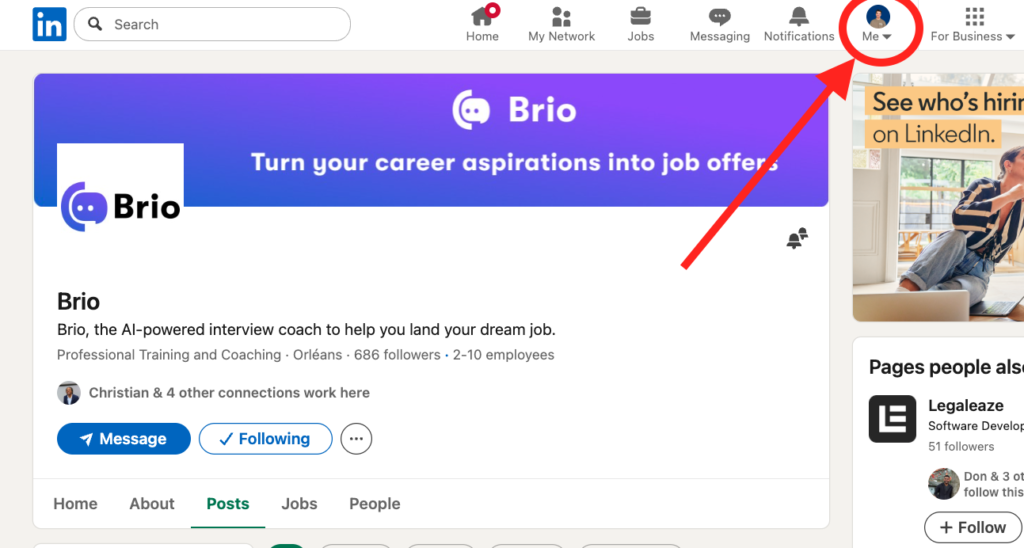
1. Go to your LinkedIn profile
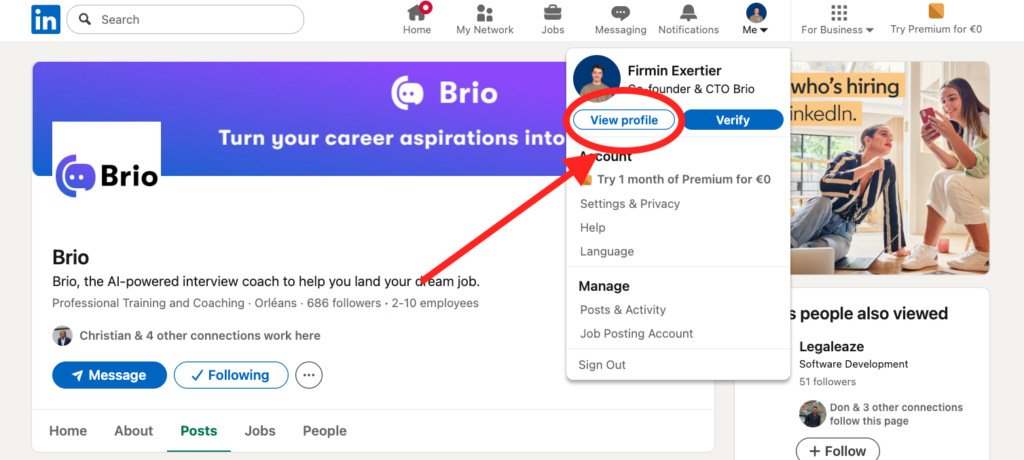
2. Go to the profile editing page.
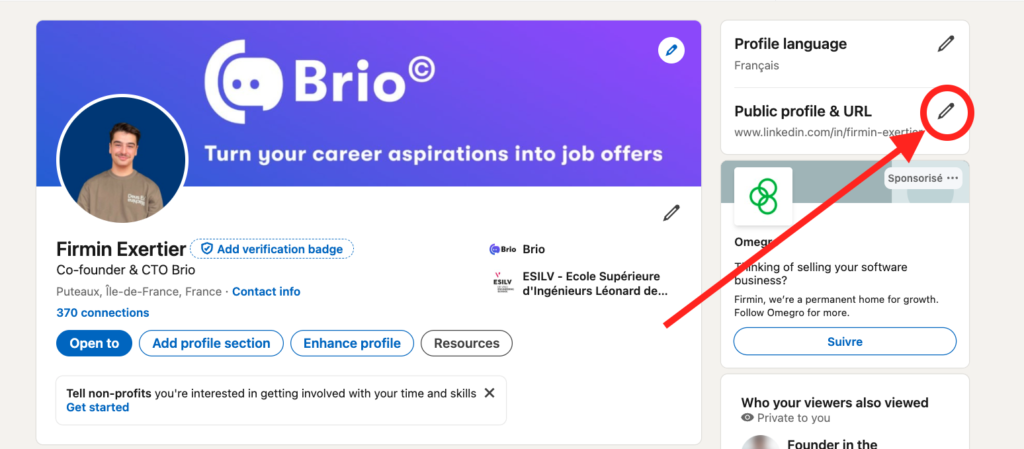
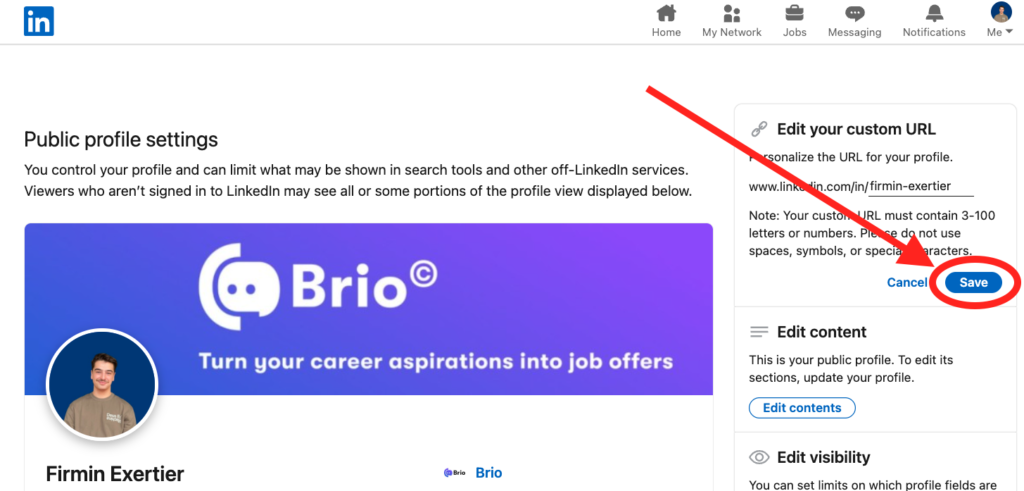
3. Click on the edit url icon.
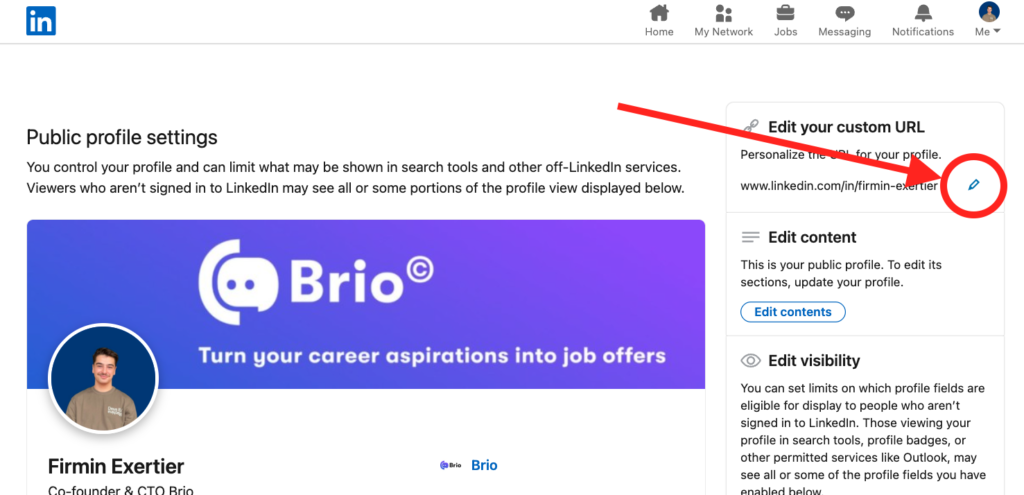
4. Once you’ve entered your dream LinkedIn URL, save the changes.